Many shoppers add a product to their cart, start checkout and then leave. They get distracted, want to compare prices or are not ready to pay yet. For a Shopify store, that is lost revenue sitting in plain sight. This guide explains how an abandoned cart email for Shopify stores in Australia works, what to write and how to set up a simple sequence that brings shoppers back.
What is an abandoned cart email?
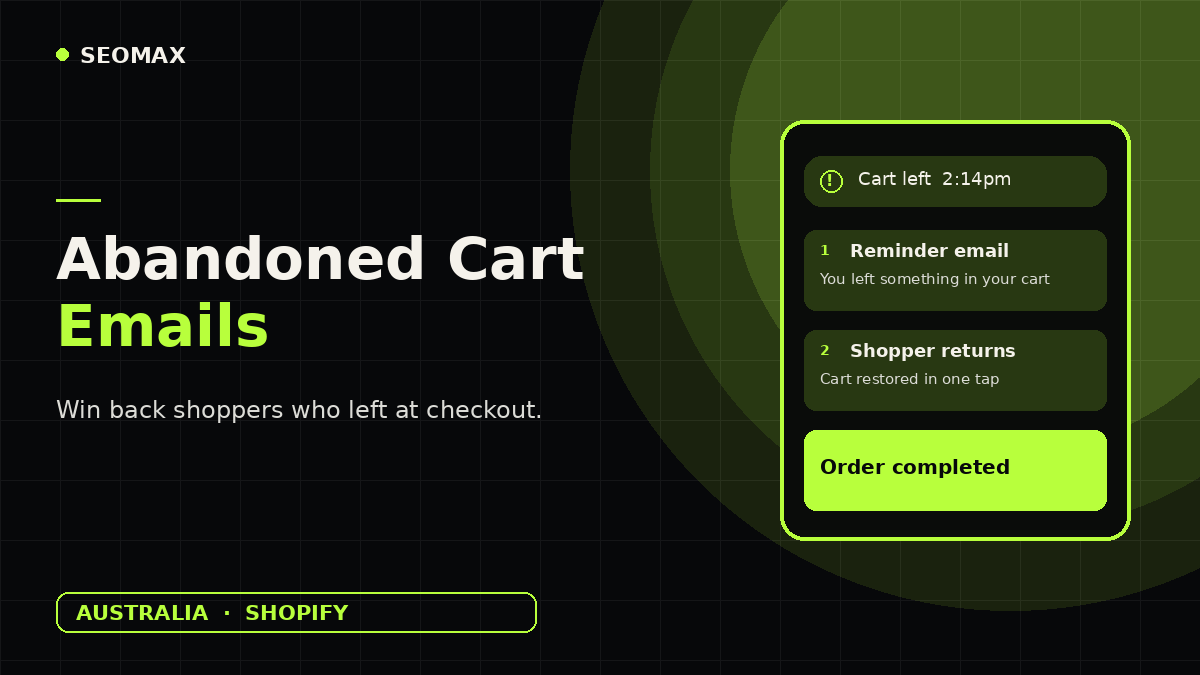
An abandoned cart email is an automatic message sent to a shopper who started checkout but did not finish. It reminds them what they left behind and links them straight back to their cart.
In Shopify, the store can only email shoppers who entered their email address at checkout, or who are already known customers. That is why a smooth checkout and a clear email field matter.
Why shoppers leave without buying
Most shoppers who leave are not saying no. They are saying not right now. Common reasons include:
- Unexpected costs: shipping or fees appear late in checkout.
- Comparing options: they want to check other stores first.
- Distraction: a phone call, a child or a meeting gets in the way.
- Trust questions: they are unsure about returns, delivery or payment.
- Payment timing: they plan to buy after payday.
A good abandoned cart email answers these worries and makes it easy to come back.
Shopify's built in abandoned checkout email
Shopify includes a basic abandoned checkout email. You can turn it on in your store settings and choose when it sends. It is a good start for a new store.
The built in option is simple, though. Growing stores usually want more. That means a short sequence of emails, product images, reviews, different messages for first time and returning buyers, and SMS for shoppers who agreed to receive it. An email marketing tool connected to Shopify can do all of this.
A simple three email sequence
You do not need ten emails. Three well timed messages cover most stores.
- Email one, about one hour later: a friendly reminder. Show the products, the price and a clear button back to the cart. No discount yet.
- Email two, about one day later: answer common worries. Mention delivery times across Australia, your returns policy, payment options and a few customer reviews.
- Email three, about two to three days later: a final nudge. If your margins allow, this is the place for a small incentive such as free shipping. If not, remind them stock or sizes may run out, but only if that is true.
Stop the sequence as soon as the shopper buys. Nobody wants a reminder for something they already paid for.
What to write in each email
Keep every email short and focused on one action. Here is a simple structure you can adapt. Replace the words in brackets with your own details.
Subject line ideas:
- "You left something in your cart"
- "Still thinking about [product name]?"
- "Your cart is saved at [store name]"
Email body example:
"Hi [first name], you left [product name] in your cart. We have saved it for you. Orders ship across Australia and returns are easy. Tap below to finish your order. Any questions? Just reply to this email."
Always include a large button back to the cart, a product image and your contact details. Write like a real person from your store, not a robot.
Should you offer a discount?
Discounts can work, but use them carefully. If every abandoned cart gets a code, some shoppers learn to leave on purpose and wait for it.
- Hold the discount for the last email in the sequence.
- Try free shipping instead of a percentage off. It often protects your margin better.
- Use single use codes with an expiry date, so they are not shared online.
- Test it. Run the sequence with and without an offer and compare the results.
Add SMS for shoppers who opted in
Some shoppers read texts faster than email. If a shopper ticked the box to receive marketing texts at checkout, a short SMS reminder can work well alongside your emails. Keep it to one or two texts, include your store name and give a clear way to opt out.
Our guide to SMS marketing for small business explains how to do this the right way.
Australian spam rules to know
Abandoned cart emails are marketing messages, so Australian spam rules apply. In short:
- Consent: only message people who gave consent or have an existing relationship with your store that allows it.
- Identify your business: include your store name and contact details.
- Unsubscribe: every email and text needs a simple way to opt out, and opt outs must be honoured quickly.
Check the official guidance from the Australian Communications and Media Authority if you are unsure.
Common mistakes to avoid
- Waiting too long: the first reminder works best while the shopper still remembers the product.
- No product images: show exactly what they left behind.
- Broken cart links: test every link on mobile before you switch the flow on.
- Too many emails: three is usually plenty.
- Ignoring the checkout itself: if many shoppers leave at the same step, fix that step first.
Abandoned cart emails work best on a store that already converts well. Our guide to Shopify conversion rate optimisation covers how to improve your checkout and product pages.
How to measure results
Check a few numbers each month in Shopify and your email tool.
- Recovered orders: how many abandoned checkouts turned into sales
- Recovered revenue: the value of those orders
- Open and click rates: which emails and subject lines get attention
- Discount use: how often the last email offer is used
- Unsubscribes: a sudden rise means you are sending too much
Change one thing at a time, such as a subject line or the timing, so you know what made the difference.
How SEOMAX can help
SEOMAX is a Melbourne agency and Shopify partner that helps Australian online stores turn more visitors into buyers. We set up abandoned cart emails, SMS reminders and other automated customer journeys for your Shopify store. We write the messages, design the emails to match your brand and track the results, so you can focus on running your business. Read our guide to email marketing for small business for more ideas.
Frequently asked questions
What is an abandoned cart email on Shopify?
It is an automatic email sent to a shopper who started checkout on your Shopify store but did not complete the purchase. It reminds them of the products and links back to their cart.
Does Shopify send abandoned cart emails automatically?
Shopify includes a basic abandoned checkout email that you can turn on in your settings. For a multi step sequence with images, reviews and SMS, most stores use an email marketing tool connected to Shopify.
When should I send the first abandoned cart email?
About one hour after the shopper leaves is a good starting point. Send a second email about a day later and a final one two to three days later.
Should I include a discount code?
Not in the first email. If you use an offer, save it for the last email and consider free shipping or a single use code with an expiry date.
Are abandoned cart emails allowed under Australian spam rules?
Yes, as long as you follow the rules. You need consent or an existing relationship that allows it, your business details and a clear way to unsubscribe in every message.
Can SEOMAX set up abandoned cart emails for my store?
Yes. We set up abandoned cart emails and SMS reminders for Australian Shopify stores. Book a free audit to see what we would change in your store.
Get a free demo
Want to win back more sales from abandoned carts? We will review your Shopify store and show you how an abandoned cart sequence could work for your business, free and with no obligation. Book your free demo or audit or call 03 8400 0295.